The Solopreneur’s Tech Stack: 15 Tools I Use to Run a One-Person Business
You don't need more employees; you need better systems.
I run my entire business with just the tools on this list. They allow me to compete with large agencies without the overhead. I have tested hundreds of apps so you don't have to. These are the ones that actually work.
Web Infrastructure & Hosting
Before you optimize for Google, you need a platform that performs. This is the hosting and infrastructure backbone of my online presence built for speed, security, and reliability.
Ghost.org
The Gold Standard for modern publishing! Unlike WordPress, which requires a dozen slow plugins just to function, Ghost is an all-in-one powerhouse built for speed. It handles your SEO, email newsletters, and memberships natively in one lightning-fast platform. I built Vital Methods (mihirvankani.com) on Ghost because it lets me focus on growing my business, not managing broken code.
Cloudflare
The invisible shield for your business. Cloudflare is more than just DNS; it is a global content delivery network (CDN) that makes your site load instantly anywhere in the world. I use it as the 'Air Traffic Controller' for my domains - blocking bots, preventing attacks, and providing free enterprise-grade SSL security for my websites.
Technical SEO & Analytics
You can't improve what you don't measure. These are the industry-standard diagnostic tools I use to track traffic, fix technical errors, and ensure Google can properly index my site.
Google Search Console
The only SEO tool that matters is Google itself. This is the direct line of communication between your website and the search engine. I use it daily to monitor indexing status, check for mobile usability errors, and see exactly which keywords are driving traffic to my websites.
Google Analytics
Search Console tells you how users find you; Analytics tells you what they do after they arrive. I use this to track visitor behavior, measure time-on-page, and understand exactly which articles are converting readers into leads for my business.
Google PageSpeed Insights
A slow website kills conversions. I use this official tool to diagnose load times and check my Core Web Vitals. It gives me a specific checklist of technical fixes to ensure https://mihirvankani.com/ stays fast on mobile and desktop.
Screaming Frog SEO Spider
The deepest audit you can perform. This desktop tool crawls your website exactly like Google's bots do. I run it monthly to find broken links (404s), missing meta tags, and duplicate content that might be silently hurting my rankings.
Keyword & Market Research
Stop guessing what your audience wants. I use these tools to uncover real search intent, analyze market trends, and validate ideas before writing a single word.
Google Trends
Timing is everything. Before I write about a topic, I check it here to ensure interest is growing, not declining. It is the best way to identify seasonal spikes and see what the world is searching for right now.
AnswerThePublic
Stop guessing what to write. This tool visualizes the exact questions (who, what, where, why) people are asking about your industry. I use it to structure my blog posts so they directly answer real user problems.

Ubersuggest by NP Digital
Competitive intelligence made simple. I use this to reverse-engineer successful competitor pages, seeing exactly which keywords they rank for and how difficult it would be to outrank them. It’s essential for validating ideas before I build.
AI & Intelligence
Leverage the power of the future. These are the advanced AI models I use to accelerate research, brainstorm complex strategies, and automate the heavy lifting of my consulting workflow.
Google Gemini
My primary AI thought partner. I rely on Gemini’s advanced reasoning capabilities to analyze complex data, brainstorm business strategy, and draft technical content. Its deep integration with the Google ecosystem makes it the most efficient assistant for my workflow.
LMArena
Don't blindly trust the hype. This is the industry's only objective, crowdsourced leaderboard for AI models. I use it to blind-test different AIs (like GPT-4, Claude, and Gemini) against each other to find exactly which model handles specific consulting tasks best.
Design & Performance
A slow website is a broken website. These are the essential utilities I use to create professional visuals and compress media, ensuring my site loads instantly on any device.
Canva
Professional design without the learning curve. I use Canva to create everything from blog headers to client presentations. It allows me to maintain a consistent brand identity across all my channels without needing expensive software or a dedicated designer.
TinyPNG
The easiest way to speed up your site. Large images are the #1 killer of page speed. I drag-and-drop every single image here before uploading. It intelligently reduces file size by over 70% while preserving transparency and quality, keeping my website lightning fast.
Squoosh.app
For when you need surgical precision. While TinyPNG is great for bulk work, I use this Google-built tool for hero images that need specific resizing or conversion to next-gen formats like WebP. The real-time slider lets me perfectly balance visual quality against file size.
Security & Privacy
Protect your assets and your identity. In a digital-first world, these are the non-negotiable security layers I use to encrypt my connection, block threats, and safeguard client data.
Surfshark One
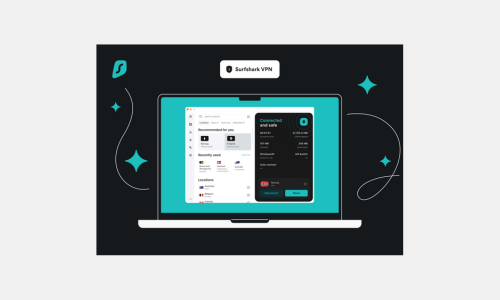
Public Wi-Fi is a security nightmare. Whether I’m working from a coffee shop or an airport lounge, I never connect without this VPN. It encrypts my entire internet connection, hiding my location and data from prying eyes to ensure total client confidentiality.